Quick start: Your first client session
Recording
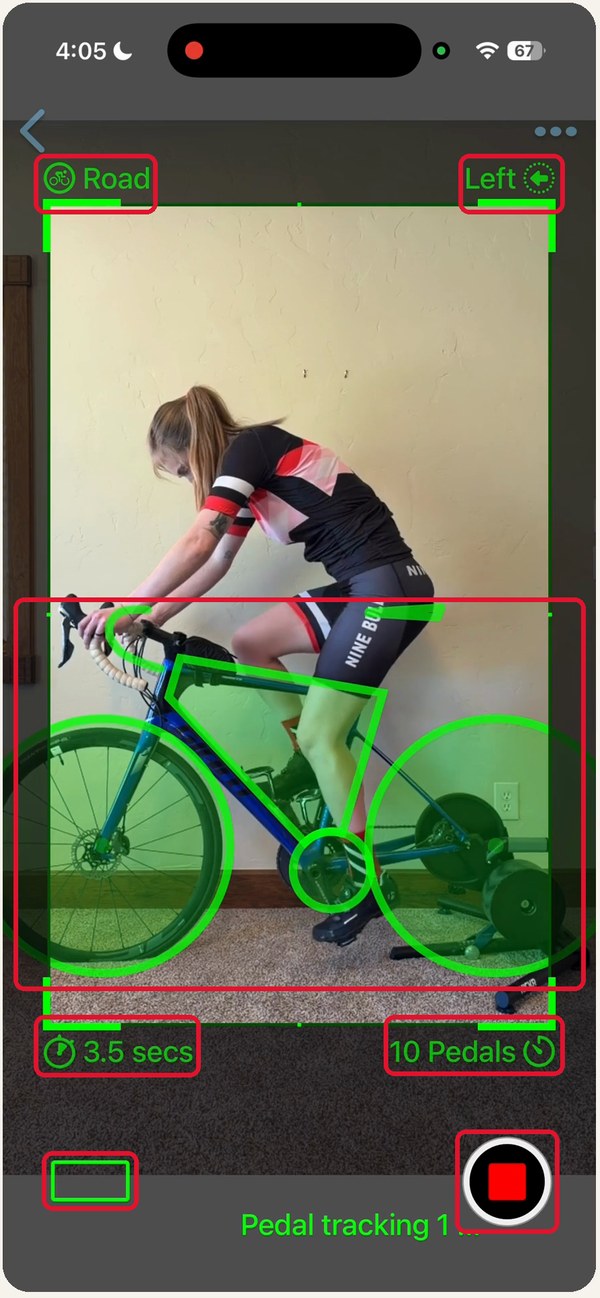
Tap + and choose Record Rider. Record the side first, then the front and the rear. The app usually auto-detects the direction, but you can manually change it in the top right corner.
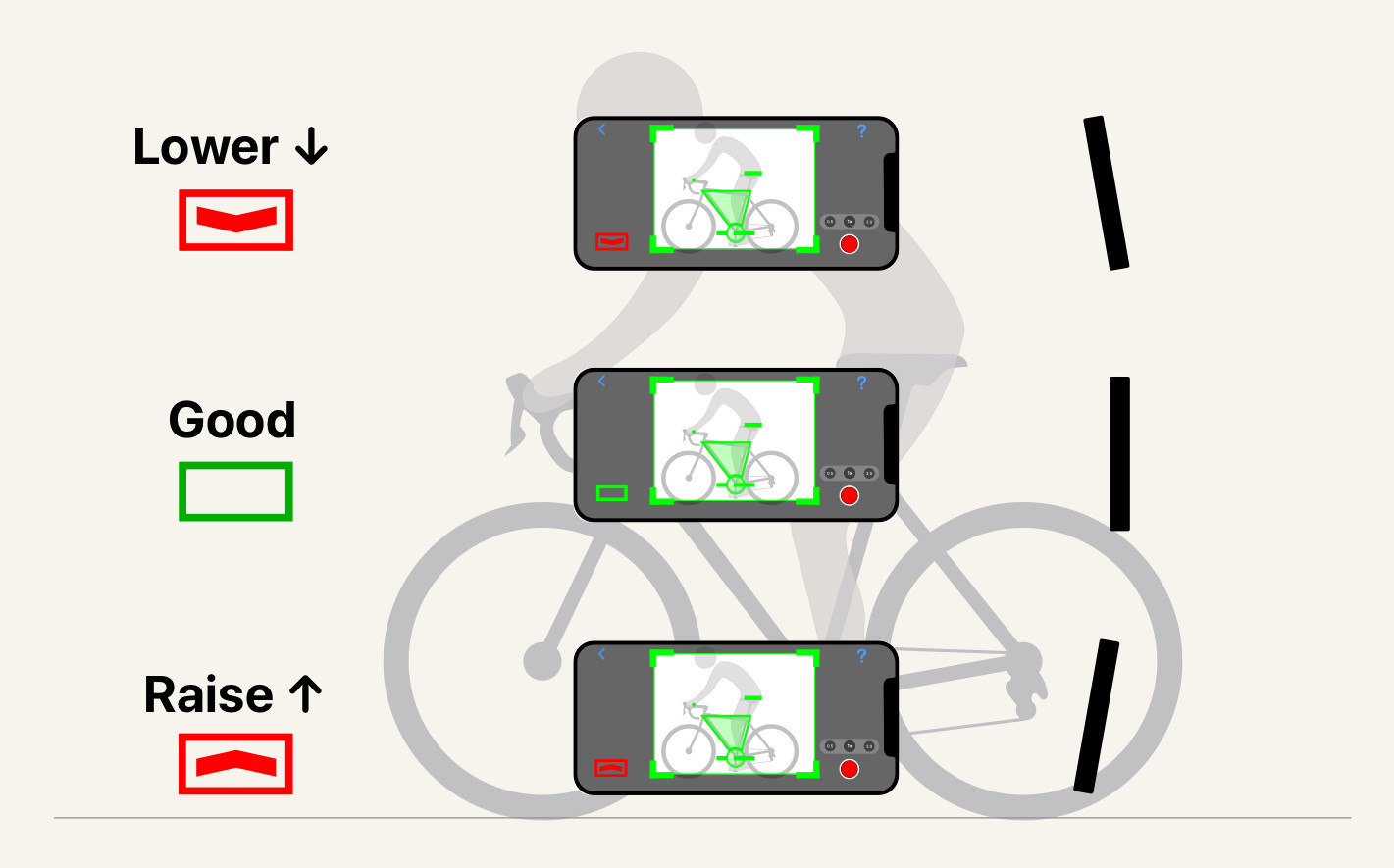
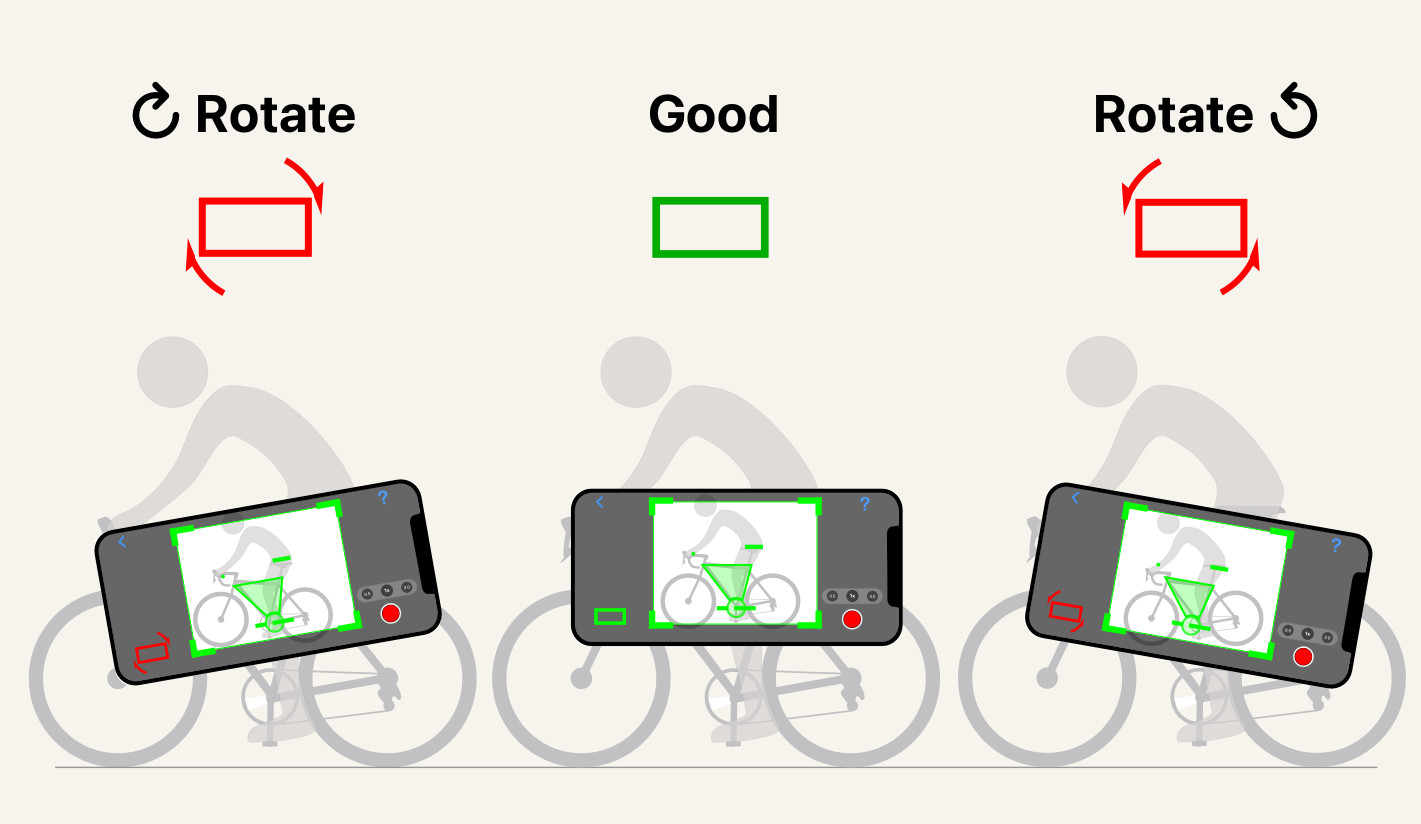
Use the green bike overlay and alignment aid (bottom left). You can film in portrait or landscape with your device. Set the camera at approximately the height of the top tube. Layer the green bike over the rider's bike as best you can to help with vertical and horizontal camera placement. Then, use the alignment aid to ensure the camera is level.
Customize the Max Duration and Recording Delay. You can change the Max Duration to 5, 10 or 15 seconds, with a default of 3.5 seconds. The app also has a Recording Delay that can be pedal strokes (default: 10 pedal strokes), a length of time, or no delay.